If you’ve ever sat in on a conversation about WDM for the first time, you’ve probably heard someone throw around the term “bandwidth of a WDM MUX” and then watch half the room’s eyes glaze over. I get it—when I first started in this industry back in 2012, I thought it was just another tech buzzword to confuse people trying to figure out what gear they actually need for their network. Now, as someone who’s spent over a decade building, selling, and troubleshooting WDM MUX/DEMUX units, I’ve had enough conversations with field engineers, network admins, and even small business owners trying to upgrade their fiber networks to break this down in plain, practical terms. No stuffy textbook jargon, no overly complicated equations—just what you actually need to know about the bandwidth of a WDM MUX. WDM MUX DEMUX
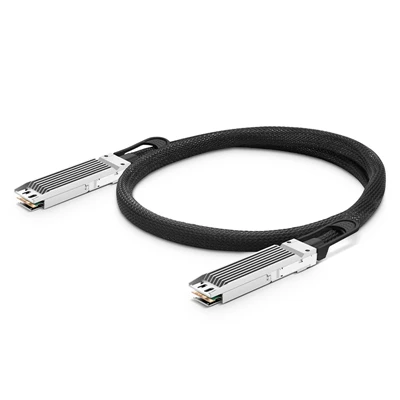
First, let’s get one thing straight: a WDM MUX isn’t like a regular Ethernet switch or a fiber optic media converter. Those guys basically take one signal, push it across a fiber, and that’s that. A WDM MUX? It’s the traffic director of the fiber world. It takes multiple separate data signals, each sent on a different wavelength (a fancy way of saying “color” of light), mashes them all together onto a single strand of fiber, and then at the other end, a DEMUX splits them back out so each signal goes to its own destination. That’s the whole magic of WDM—you don’t have to lay 10 separate fiber cables to run 10 different networks; you can cram all of them into one.
Now, when someone asks “what’s the bandwidth of a WDM MUX,” they’re not talking about the speed of one individual wavelength. That’s the key mistake I see people make all the time. Let’s use an analogy that’s way easier than talking about photons and glass cores. Think of each fiber strand as a six-lane highway, and each wavelength of light as a car that fits exactly in one lane. A regular single-lane road (the kind of basic fiber link everyone used years ago) can only fit one car going at, say, 100 Mbps. But a WDM MUX doesn’t widen the highway—it just adds more lanes, each with its own car going that same 100 Mbps speed. Wait, no, actually—you can have different sized cars too. Some lanes can fit 1 Gbps cars, some 10 Gbps, even 100 Gbps now. That means the total bandwidth of the MUX is the sum of all the individual wavelengths that it can handle, multiplied by the speed of each wavelength, right? But it’s not that simple. There are other factors that change that number, and that’s where most misinformation comes in.
Let’s start with the two main types of WDM, because that’s where all the variability starts. There’s Coarse WDM (CWDM) and Dense WDM (DWDM). I’m not going to bore you with the history of why they were invented—just what they mean for bandwidth. CWDM uses a wider gap between each wavelength, so you can fit fewer total wavelengths onto a single fiber. That’s why it’s cheaper, easier to deploy, and perfect for short to medium distances—like campus networks, downtown office buildings, or small data centers. A typical CWDM MUX has 18 available wavelengths, right? If each one is rated for 10 Gbps, that gives you a total of 180 Gbps of combined bandwidth. If you step up to 25 Gbps per wavelength, that’s 450 Gbps total, and now we’re talking about way more traffic for things like backup systems, video surveillance, or multiple office LANs running on the same fiber.
DWDM is the other side of the coin. It uses much narrower gaps between wavelengths, so you can fit way more of them on the same fiber—sometimes 80, 100, even 160 wavelengths. But it’s more expensive because it needs more precise equipment to keep those wavelengths from overlapping. A standard DWDM MUX with 80 wavelengths, each running at 100 Gbps, gives you a monstrous 8 Tbps total bandwidth. That’s the kind of number you see in big telecom backbones, connecting multiple data centers across hundreds of miles, or handling massive amounts of cloud traffic.
But wait—here’s the thing: that total bandwidth number isn’t a hard maximum. I’ve had customers call me panicking because they bought a 180 Gbps CWDM MUX but their network is only hitting 120 Gbps. Why? Because they forgot about the actual speed of the equipment connected to the MUX itself. The MUX’s own ports (the part that connects to your servers, switches, or other devices) can only push so much data. If your MUX has 18 ports, each rated for 10 Gbps, that checks out for 180 Gbps. But if one of your connected switches only has 1 Gbps ports, that individual wavelength can only deliver 1 Gbps, so that brings the total down. It’s like if you have six lanes on a highway, but two of the lanes are only wide enough for small sedans instead of big trucks—those lanes can’t carry as much load, so the total is less than the maximum the highway is capable of.
Another big factor is distance. A lot of people assume bandwidth is a static number, but it isn’t—light doesn’t travel perfectly through fiber, so the farther your signal has to go, the more it weakens. That’s where amplifiers come in, right? But amplifiers also have a limit. For CWDM, the maximum distance without extra amplification is usually around 80 km. If you go beyond that, you need optical amplifiers, which can add some signal loss, but they don’t kill the total bandwidth—they just let you keep that bandwidth going farther. For DWDM, the base distance can be hundreds or even thousands of kilometers if you use the right type of fiber and amplifiers like erbium-doped fiber amplifiers (EDFAs). But again, if you’re running DWDM over a longer distance, you might have to reduce the speed of individual wavelengths a little, or add more amplifiers, which can eat into the practical bandwidth you can use.
Wait, let’s also talk about crosstalk. That’s when two adjacent wavelengths leak into each other, like two radio stations playing on the same frequency. In WDM MUX units, crosstalk is measured in decibels (dB), and the lower the number, the better. A good MUX will have crosstalk of -25 dB or lower, which means almost no leakage. But a cheaper, lower-quality MUX might have crosstalk of -15 dB, and that can cause errors, dropped packets, or even reduce the actual bandwidth you can get. I’ve seen customers save a few hundred bucks on a cheap MUX, only to have to replace it a year later because their network was running slower than expected, and all the issues traced back to bad crosstalk. That’s why I always tell people: bandwidth is great, but reliability and performance matter more than just the number on the spec sheet.
Let’s use a real example to make this concrete. Last year, I worked with a healthcare client that had three hospital buildings on a campus, all connected by fiber. They were using a regular fiber link that could only handle 10 Gbps total, but they needed to run 10 different systems: patient monitoring, electronic health records, video conferencing, security cameras, and more. We put in a 16-channel CWDM MUX, each channel running at 10 Gbps. That gave them 160 Gbps total bandwidth, which was way more than they needed, but it left room for them to add more systems later—like a new telemedicine platform or a backup system for their data. Total distance between the buildings was 2 km, so no amplification needed. For them, the bandwidth of the MUX wasn’t just a number—it was the difference between their systems working smoothly and dropping data during a critical patient emergency.
Another example: a mid-sized cloud provider that needed to connect two data centers 300 km apart. They went with a 40-channel DWDM MUX, each channel at 100 Gbps, giving them 4 Tbps total. They needed that much bandwidth to handle the traffic between their servers, backup data, and customer workloads. Without WDM, they would have had to lay 40 separate fiber cables, which would have cost millions of dollars. With the WDM MUX, they did it with one single fiber strand, saved 80% on installation costs, and had plenty of extra bandwidth for future growth.
Now, let’s address a common question: can you run different types of signals on the same MUX? For example, can you have a 10 Gbps Ethernet signal, a 25 Gbps fiber channel, and a 100 Gbps OTU4 signal all on one MUX? Absolutely. As long as each signal is tuned to a specific wavelength that the MUX supports, that works. The total bandwidth is still the sum of all the individual speeds, so you don’t have to match all wavelengths to the same speed. That’s one of the coolest things about WDM—you can mix and match different types of traffic to fit your exact needs, without having to replace your entire MUX down the line.
But wait—what about the difference between the MUX’s bandwidth and the fiber’s capacity? A lot of people mix those two up. The MUX is the device that puts all the wavelengths onto the fiber. The fiber itself has a maximum capacity, but most single-mode fiber (the kind used for WDM) can handle way more bandwidth than any WDM MUX you’re going to buy for a typical network. The actual bottleneck is usually either the MUX’s port speed, the connected equipment’s ports, or the distance, not the fiber itself. That’s another point I wish more people understood—when you’re calculating what bandwidth you need, don’t just look at the MUX number. Look at what you’re connecting to it.
Let’s also clear up a myth: a WDM MUX doesn’t limit your bandwidth just by being a MUX. I’ve had people tell me “WDM only gives you twice the bandwidth” but that’s only if you’re using a basic old WDM unit with two wavelengths. Modern MUX units have 16, 40, 80, even 160 wavelengths, so that’s not the case. It’s all about how many wavelengths you can fit, and how fast each one is. The real limitation comes from the electronics inside the MUX, not the WDM technology itself. A good MUX will be able to deliver the full theoretical bandwidth of all the wavelengths it supports, as long as everything else (ports, fiber, amplification) is set up right.
So, if you’re out there shopping for a WDM MUX, here’s what you should actually pay attention to, instead of just the big “total bandwidth” number on the spec sheet. First, decide if you need CWDM or DWDM. If you’re working on a network under 80 km, no need to splurge on DWDM—CWDM will work just fine, and it’s way easier to install because the wavelengths don’t need as precise tuning. Second, calculate how many individual signals you need to run right now, plus at least 2-3 more for future growth. Third, check the speed of the ports on both the MUX and the devices you’re connecting to it. If you have 10 Gbps switches, don’t buy a MUX with 100 Gbps ports on the ends—you’re just wasting money. Fourth, ask about crosstalk and insertion loss. A good MUX will have low numbers for both, which means better performance and less signal loss.
I’ve been doing this long enough to know that a lot of customers get overwhelmed by the tech jargon, and some suppliers will try to sell you a MUX with a fancy high bandwidth number that you don’t actually need. I’d rather have a customer buy a MUX that fits their exact needs, works reliably, and doesn’t cost them extra for bandwidth they’ll never use. Last year, a customer came to me thinking they needed a 1 Tbps DWDM MUX for a small office network. We looked at what they actually needed—they only had four 1 Gbps switches, for a total of 4 Gbps of traffic. We sold them a cheap, reliable 4-channel CWDM MUX, and they saved over $10,000 compared to the DWDM unit they were going to buy. That’s the kind of thing I care about—helping people make smart choices, not just sell them the most expensive gear.
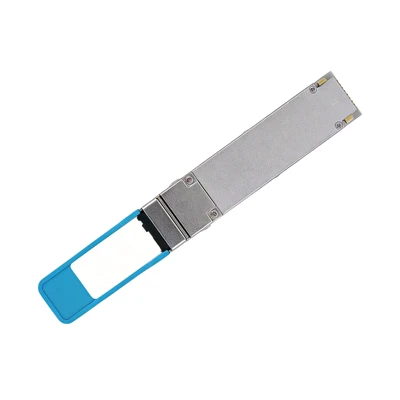
Now, if you’re at the point where you’re ready to look for a WDM MUX/DEMUX, whether it’s for a small campus, a data center, or a telecom network, we’ve got units that cover everything from 4-channel CWDM all the way up to 160-channel DWDM, with port speeds from 1 Gbps up to 200 Gbps. We test every unit before it leaves our warehouse to make sure crosstalk is low, insertion loss is within spec, and you get exactly the bandwidth you’re paying for. We also offer free pre-sales consultations to help you figure out what you actually need, no pressure to buy. If you’ve got a project, a question, or you just want to bounce ideas off someone who actually works with WDM gear every day, hit us up to connect for a procurement discussion. We’re here to help you build a network that works for you, not the other way around.
Optoelectronic Devices References
- C. S. Davies, Fiber Optic Communication Systems, 4th ed. Wiley, 2012.
- ITU-T G.694.2, Spectral grids for Coarse Wavelength Division Multiplexing (CWDM) applications, 2012.
- R. Ramaswami, K. N. Sivarajan, and G. H. Sasaki, Optical Networks: A Practical Perspective, 3rd ed. Morgan Kaufmann, 2010.
- Cisco Systems, “WDM Technology Overview,” 2023.
Zhejiang Chengmei Technology Co., Ltd.
As one of the most professional wdm mux demux manufacturers and suppliers in China, we’re featured by quality products and good price. Please rest assured to wholesale bulk premium wdm mux demux made in China here from our factory. Also, quotation is available.
Address: No. 383, Jinhe Road, Qinshan Street Industrial Park, Haiyan County, Jiaxing City, Zhejiang Province
E-mail: shiwei@cm-semi.com
WebSite: https://www.cmfiber.com/
